

Mix Mode#
Operation in MIX Mode#
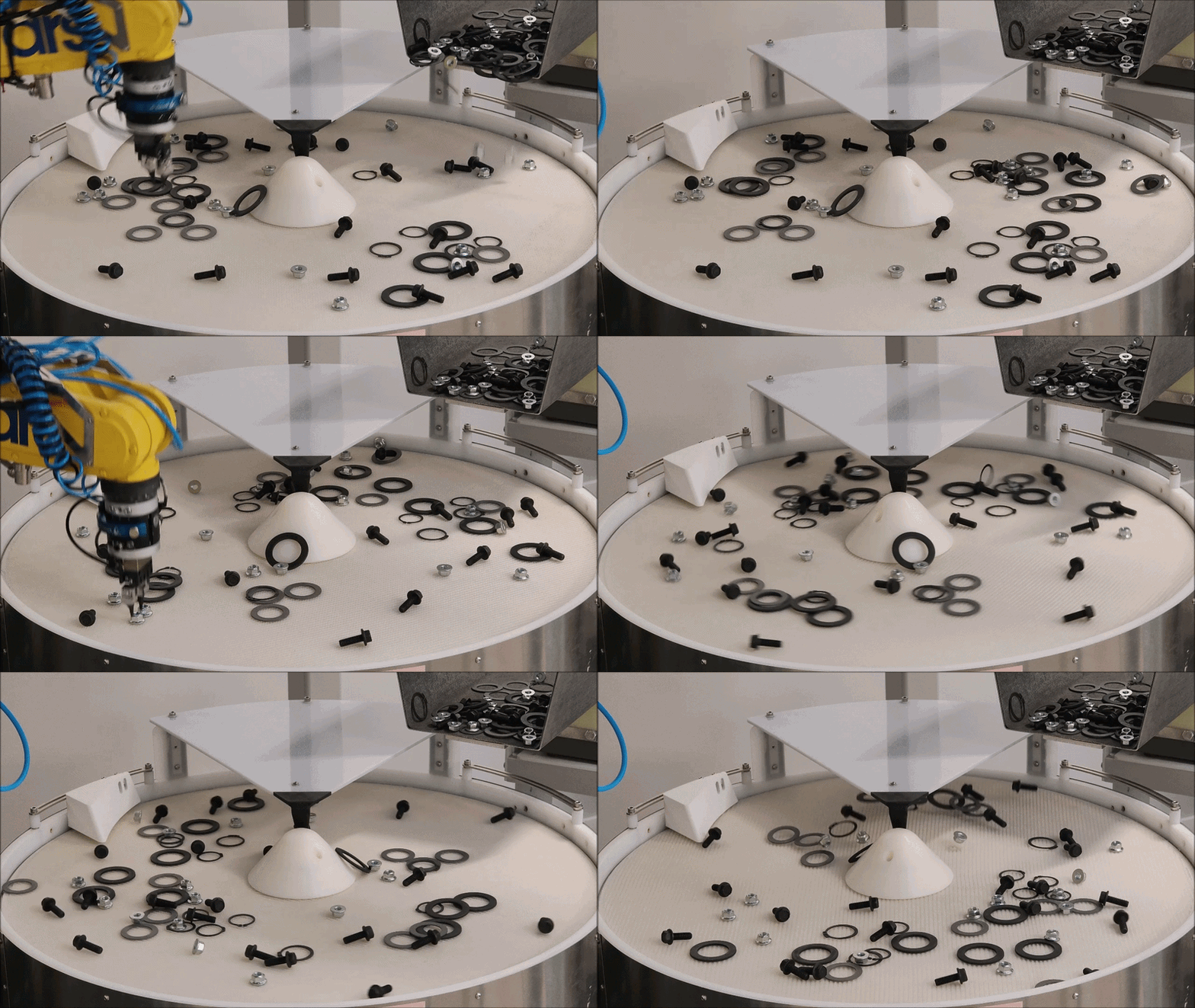
The Mix mode allows parts of different types to be fed simultaneously onto the same FlexiBowl® surface.
This mode is particularly suited to sorting applications in which several part numbers must be present on the same work surface without having to multiply the robotic stations.
Main features#
Feature |
Description |
|---|---|
Application |
Ideal for sorting applications with several types of parts |
Flexibility |
Feeding of mixed parts on the same surface |
Operating cycle#
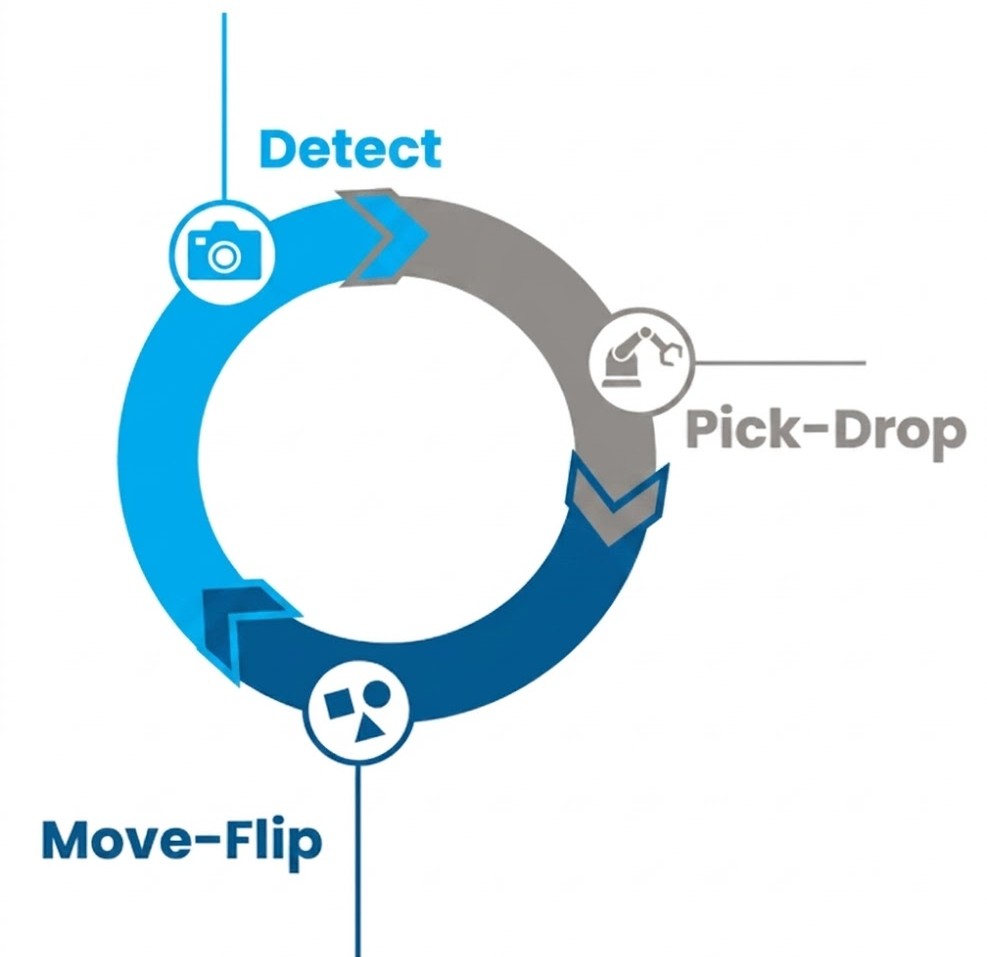
The MIX Mode cycle is simplified compared to the standard mode, with only three stages repeating in sequence:
Phase |
Description |
|---|---|
Detect |
The camera acquires the image of the common surface, identifying the position and orientation of all the parts present, regardless of their type. |
Move-Flip |
The FlexiBowl® rotates and the parts that are not correctly oriented are flipped over or repositioned. |
Pick-Drop |
The robot picks the correct part according to the sorting logic and places it in the destination position. |
Advantages#
Maximum Flexibility: multiple components can be fed together onto the same surface, and the sorting logic decides which part to pick, without stopping production.
Reduced Costs: a single robotic station handles several types of parts, without multiplying FlexiBowl®, robots and vision systems, and without additional hardware compared with a standard configuration.
Reduced environmental footprint: fewer stations mean less space, fewer materials used and lower overall energy consumption of the plant.
Note
The Mix mode is available for FlexiBowl® 500, 650 and 800.
Operating notes#
Tip
The Mix mode requires no additional hardware compared to a standard configuration. It is sufficient to configure the vision software to recognize several part numbers and to set the sorting logic in the robot program.
Note
For the optimal placement of the FlexiBowl® and the robot, refer to the Layout Best Practice chapter.