

Circular Tracking Mode#
Operation in Tracking#
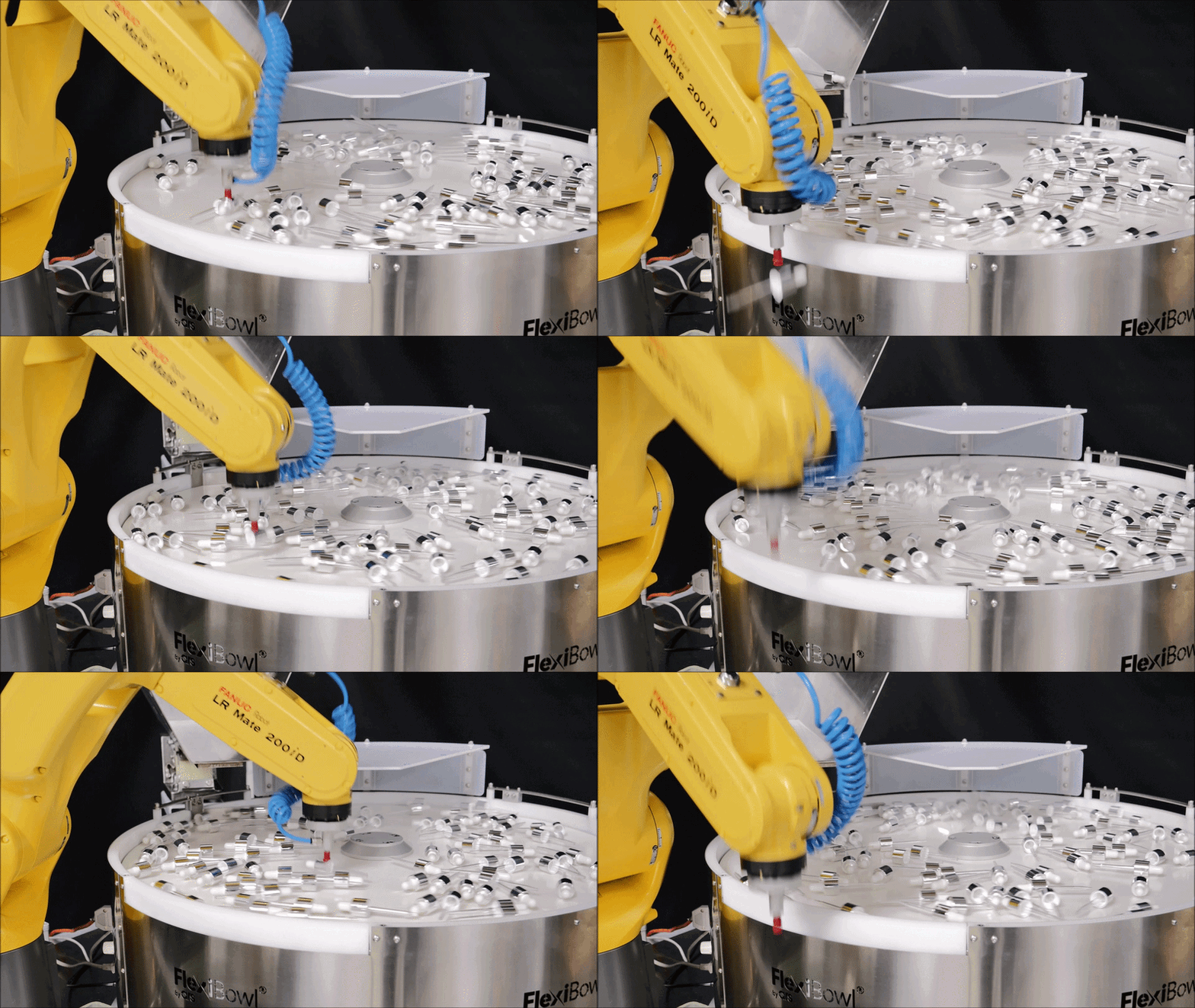
The Circular Tracking option maximizes the productivity of the FlexiBowl® by making it rotate continuously and without interruption. Instead of stopping at every cycle to take the picture and give the robot time to pick the parts present in the vision area, an encoder keeps track of the rotation angle covered by the surface of the rigid disc from the moment the picture is taken to the moment the robot picks the part.
Tip
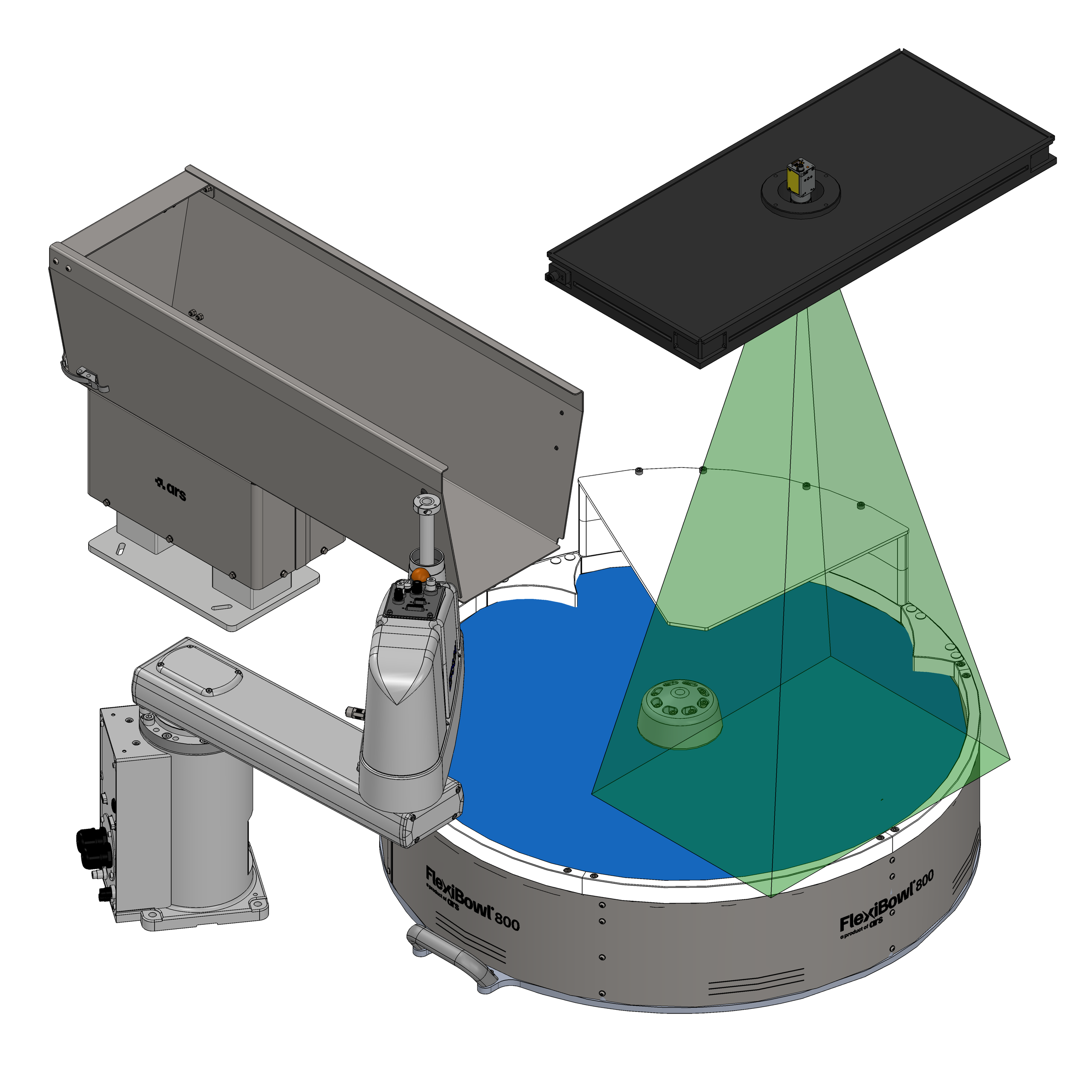
Operation in circular tracking shifts the picking area which, if it normally coincides with the vision area, will in this case be shifted downstream. Refer to the Layout Best Practice chapter for more information on the recommended placement of the robot and the other accessories for standard operation and Circular Tracking.
Main features#
Feature |
Description |
|---|---|
Performance |
Ideal for maximizing performance (up to 100%) |
Vision area |
One sector ahead of the picking area |
Parallelism |
Hopper discharge, FlexiBowl® movement/pulse, vision and picking running simultaneously |
Stability |
Greater stability of the instantaneous cycle time |
Accuracy |
Lower accuracy than in standard mode |
Operating cycle#
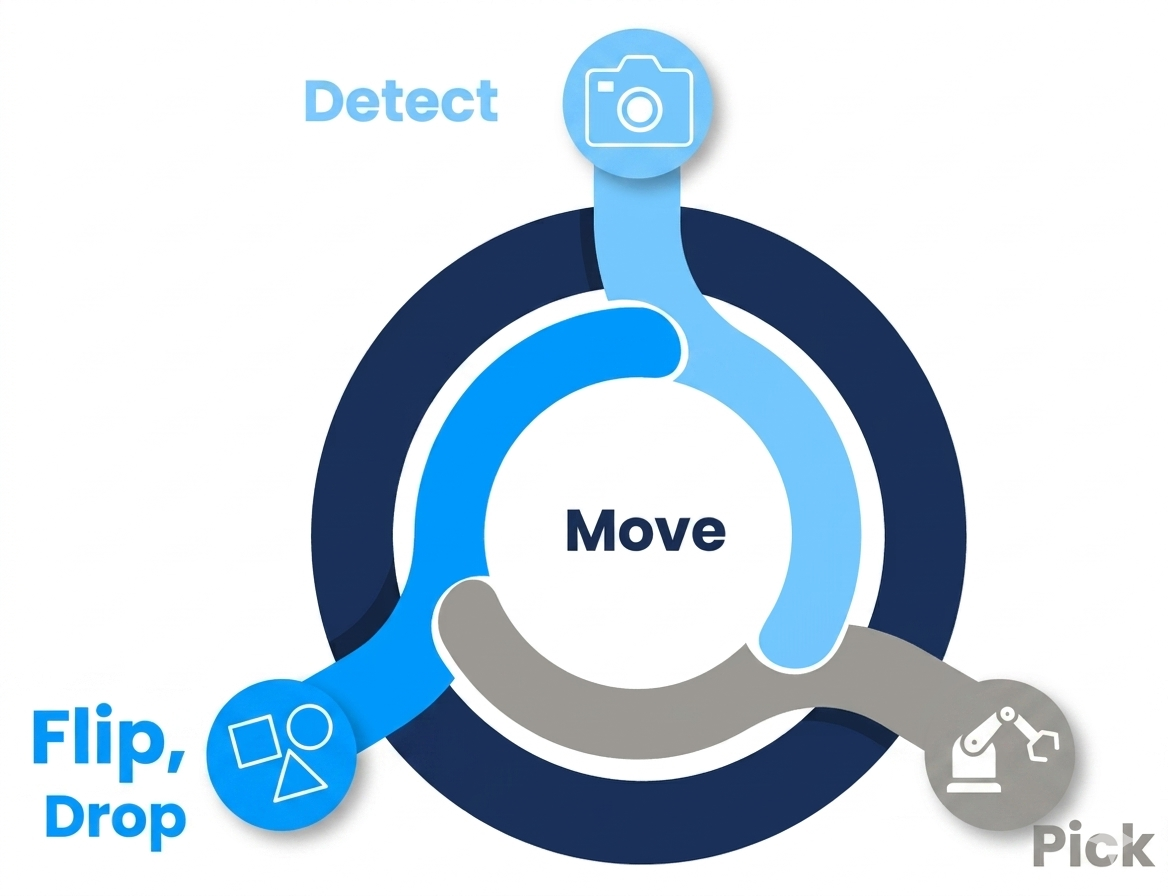
Operation in circular tracking is based on a continuous cycle divided into four phases that take place in parallel:
Phase |
Description |
|---|---|
Detect |
The camera acquires the image of a sector of the FlexiBowl®, anticipating the picking area. |
Move |
The bowl rotates continuously without stopping; the encoder records the angular displacement in real time. |
Flip / Drop |
The parts that are not correctly oriented are flipped over or discharged into the correct position. |
Pick |
The robot picks the parts, compensating for the movement of the FlexiBowl® thanks to the encoder data. |
Required hardware and software#
The following components are required to enable Circular Tracking:
Circular Tracking option on the FlexiBowl®, available in the price list for:
Size
Price list code
FlexiBowl® 500
Circular Tracking 500C · Circular Tracking 500CC
FlexiBowl® 650
Circular Tracking 650C · Circular Tracking 650CC
FlexiBowl® 800
Circular Tracking 800C · Circular Tracking 800CC
FlexiBowl® 1200
Circular Tracking 1200C · Circular Tracking 1200CC
Conveyor tracking option on the robot controller
Encoder technical data#
The Circular Tracking option includes an encoder connected to the rotation of the disc. The encoder signal is split inside the FlexiBowl® and sent both to the motor driver and to the robot controller.
Max. number of pulses |
65536 pulses/rev, depending on the FlexiBowl® speed |
|---|---|
Communication interface |
Incremental, TTL |
Certifications |
EU Declaration of Conformity · UK Declaration of Conformity · ACMA Declaration of Conformity · Morocco Declaration of Conformity · China RoHS · cULus |
Connection on the FlexiBowl® |
JOG page#
The Jog Motor page allows the FlexiBowl® to be driven in circular tracking mode, without using programmed sequences. It is mainly used during setup, commissioning and testing of the system, allowing the operator to directly control the rotation of the FlexiBowl® and the accessory functions.
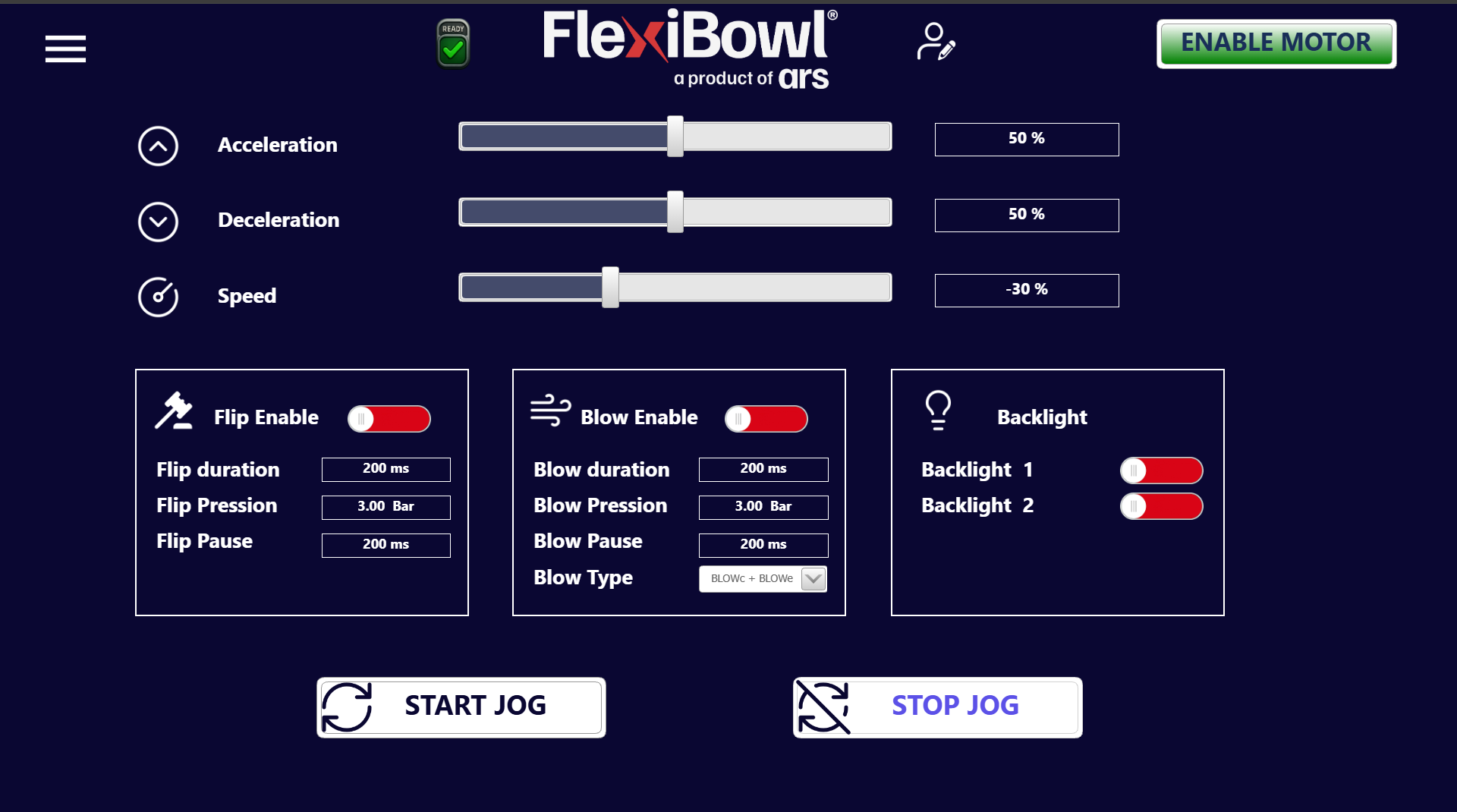
For more information, see the JOG page
Comandi EXE JOG#
Command |
ControlWord |
Busy during execution |
ReturnData_1 |
Explanation |
|---|---|---|---|---|
Start Jog Seq |
40 |
YES |
40 |
Start Jog |
Stop Jog Seq |
41 |
YES |
41 |
Stop Jog |
Comandi WRITE JOG#
The Jog commands (continuous manual operation) can be configured separately via ControlWord in block 20000.
Command |
ControlWord |
Range Data_1 |
Notes |
|---|---|---|---|
AccelerationJog |
20001 |
0–100 |
Jog acceleration ramp (%) |
DecelerationJog |
20002 |
0–100 |
Jog deceleration ramp (%) |
SpeedJog |
20003 |
0–100 |
Jog speed (%). Values 1000–1100 = negative speed (reverse rotation) |
FlipJog_Enable |
20004 |
0–1 |
0 = flip disabled, 1 = flip enabled during jog |
FlipJog_Duration |
20005 |
0–1000 |
Flip pulse duration (ms) |
FlipJog_Pressure |
20006 |
0–600 |
Flip pressure (/100 = Bar) |
FlipJog_Pause |
20007 |
0–1000 |
Pause between consecutive flips (ms) |
BlowJog_Enable |
20008 |
0–1 |
0 = blow disabled, 1 = blow enabled during jog |
BlowJog_Duration |
20009 |
0–1000 |
Blow pulse duration (ms) |
BlowJog_Pressure |
20010 |
0–600 |
Blow pressure (/100 = Bar) |
BlowJog_Pause |
20011 |
0–1000 |
Pause between consecutive blows (ms) |
BlowJog_Type |
20012 |
0–2 |
Blow type: 0 = BLOWc, 1 = BLOWe, 2 = BLOWc+BLOWe |
Backlight_1 |
20013 |
0–1 |
0 = off, 1 = on |
Backlight_2 |
20014 |
0–1 |
0 = off, 1 = on |
Comandi READ JOG#
The same writable JOG commands (block 20000) can be read in block 20100:
Command |
READ ControlWord |
Range ReturnData_2 |
|---|---|---|
AccelerationJog |
20101 |
0–100 |
DecelerationJog |
20102 |
0–100 |
SpeedJog |
20103 |
0–100 (1000–1100 = negative) |
FlipJog_Enable |
20104 |
0–1 |
FlipJog_Duration |
20105 |
0–1000 |
FlipJog_Pressure |
20106 |
0–600 (/100) |
FlipJog_Pause |
20107 |
0–1000 |
BlowJog_Enable |
20108 |
0–1 |
BlowJog_Duration |
20109 |
0–1000 |
BlowJog_Pressure |
20110 |
0–600 (/100) |
BlowJog_Pause |
20111 |
0–1000 |
BlowJog_Type |
20112 |
0–2 |
Backlight_1 |
20113 |
0–1 |
Backlight_2 |
20114 |
0–1 |
Tip
For the Error Codes, consult the dedicated page.
Advantages#
Speed: the FlexiBowl® rotates continuously, without stopping at every cycle. Hopper discharge, movement, vision and picking therefore take place in parallel, allowing performance to be fully exploited.
Cycle time stability: the simultaneous execution of the phases, with the encoder tracking the rotation of the disc between image capture and pick, makes the instantaneous cycle time more consistent and predictable.
Reduced environmental footprint: for the same output, fewer robotic stations are needed, with less space, fewer materials used and lower overall energy consumption of the plant.
Operating notes#
Warning
The Circular Tracking mode offers maximum performance but with a slightly lower accuracy than the standard mode. Evaluate its suitability based on the tolerance requirements of the component to be handled.
Note
For the configuration of the offset parameter between the vision area and the picking area, refer to the software configuration section of the system.