

FlexiBowl Manual#
Welcome to the FlexiBowl® manual!#
We are delighted to welcome you to your new FlexiBowl® guide! This manual has been created specifically to be your clear and reliable point of reference. We hope that, by consulting it, you will be able to fully enjoy all the benefits of our system. Your opinion is essential to us: do not hesitate to give us your feedback by contacting us!
- The Ars Automation Team


What is FlexiBowl?#
The FlexiBowl® is a flexible rotating-disc feeding system for the positioning and orientation of components for robotic picking.
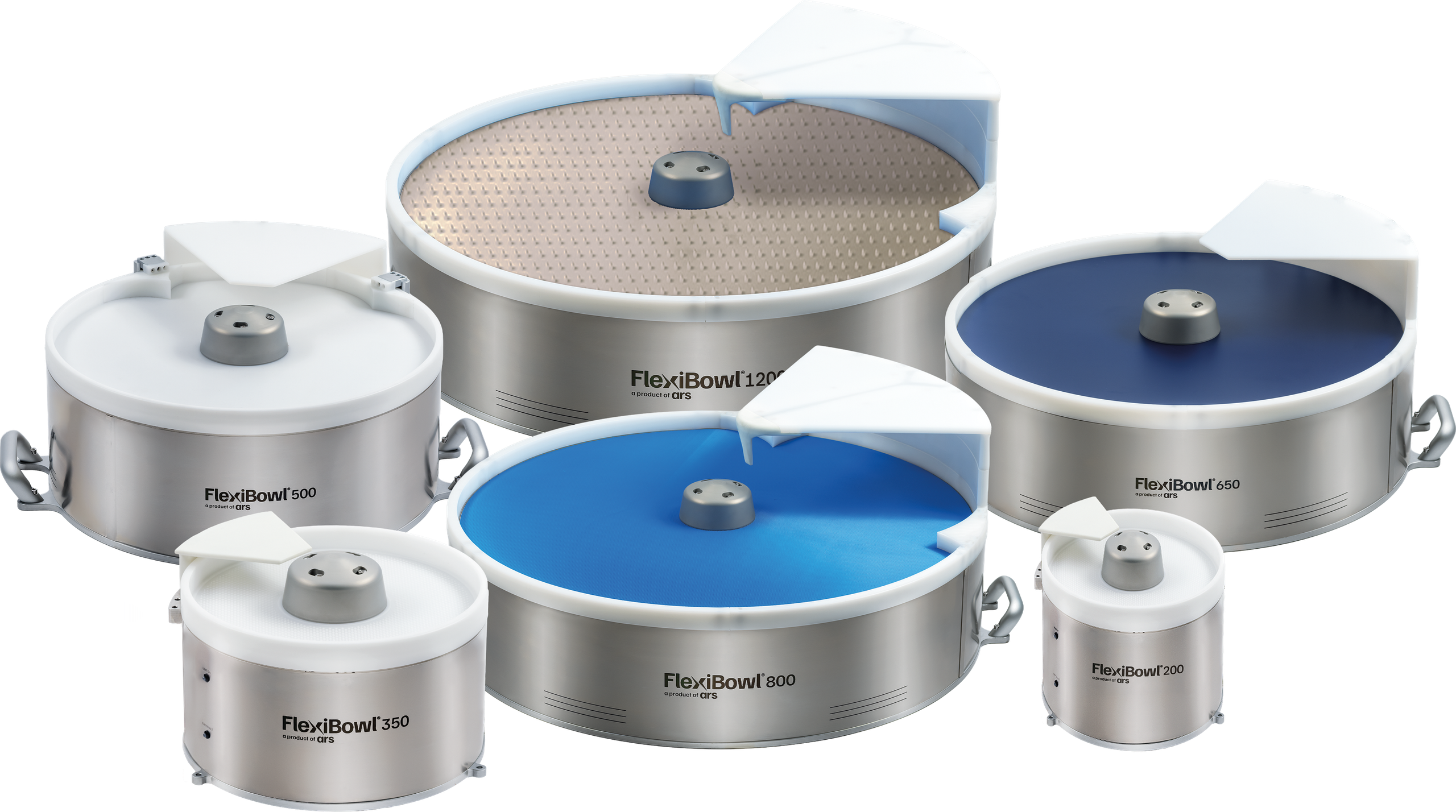
System overview#
The working area of the FlexiBowl® is virtually divided into four parts, each dedicated to a phase of the working cycle:
Phase |
Description |
|---|---|
Release |
A hopper discharges the components onto the working area of the FlexiBowl®. |
Separation |
A combined action of the flip unit and of the movement of the surface or rigid disc separates the components and turns them over, so that at least one is always in the right position for picking. |
Picking |
The vision system recognises the pickable parts and sends their coordinates to the robot, which proceeds with the pick and place operations. |
Recirculation |
Components that are not picked start their path again in the FlexiBowl® until they are picked by the robot. |
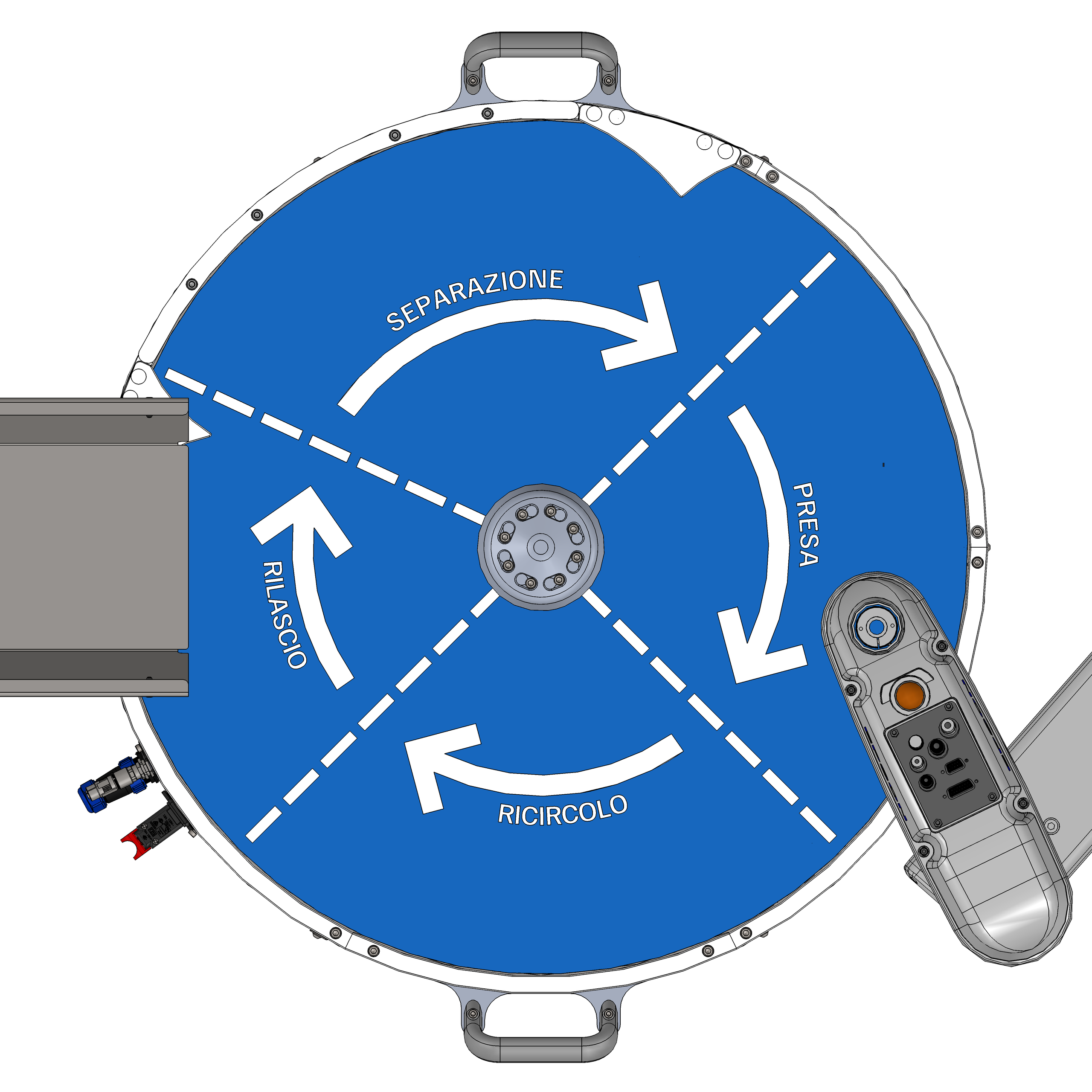
Example diagram of the FlexiBowl® system in standard operation.#
Note
The Circular Tracking cycle is substantially the same as the traditional one, with the difference that all the phases take place simultaneously and continuously.
How to read the manual#
This manual has been designed to support both the system design and integration phase and the on-site installation and commissioning phase. For this reason, it is divided into macro-sections with distinct audiences and purposes.
Which section are you looking for?#
If you need to… |
The information is found in… |
|---|---|
Check dimensions, weights, electrical requirements and communication protocols |
|
Install the components, wire the system, configure the network or calibrate the camera/robot |
|
Program a new part model or configure the feeding system |
|
Solve problems or request assistance |
Conventions and symbols used#
Throughout the manual, information banners are used to highlight important content:
Type |
Meaning |
|---|---|
Warning Warning |
Indicates a potentially hazardous situation or a critical procedure that, if not performed correctly, could cause damage to the equipment or serious malfunctions of the system. |
Important Important |
Highlights fundamental information that must not be ignored in order to ensure the correct operation of the system or the safety of the operation. |
Note Information note |
Provides essential information for the correct execution of the procedure, technical clarifications or references to related chapters. |
Tip Tip |
Suggests an optimal practice, an alternative or a piece of advice that can simplify the installation or improve system performance. |
Error Error |
Indicates a critical error or a fault condition that requires immediate intervention. Signals situations that compromise the operation of the system and require corrective action. |